

Introduction:
An authoring tool e-learning is a software application used to design, develop, and deliver interactive online learning content—such as courses, lessons, quizzes, and multimedia presentations—without the need for advanced programming skills.
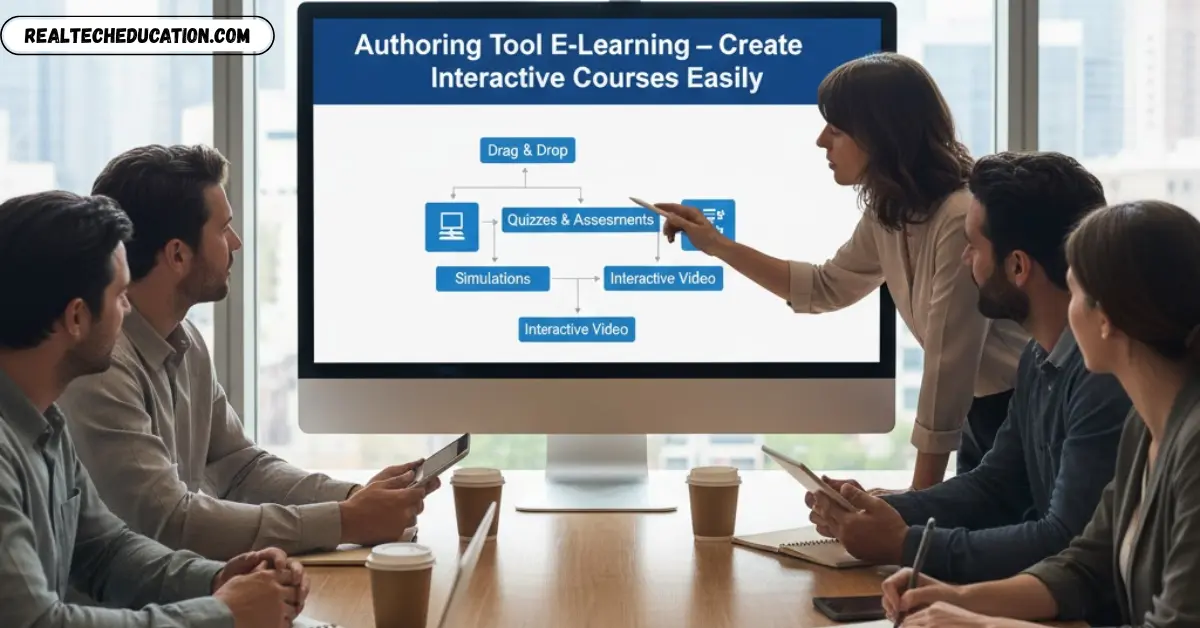
In simpler terms, it’s a tool that allows educators, instructional designers, and organizations to create engaging e-learning materials quickly and efficiently. These tools provide built-in templates, drag-and-drop features, multimedia support (like video, audio, and animations), and assessment options to make learning more interactive and effective.
For example, an instructional designer can use an authoring tool to convert PowerPoint slides into a full online course, add voiceovers, embed videos, and create quizzes—all within a single platform.
Authoring tools also help ensure compatibility with Learning Management Systems (LMS) by supporting standards like SCORM, xAPI, or AICC, so that learner progress and results can be tracked easily.
In today’s digital education landscape, where remote learning and online training are rapidly growing, authoring tools have become an essential component for building customized, scalable, and professional e-learning content that meets diverse learner needs.
Why Are Authoring Tools Important in E-Learning?

Authoring tools play a crucial role in the success of modern e-learning. They simplify the process of course creation, allowing educators and organizations to design engaging, interactive, and visually appealing learning experiences without needing complex coding or design expertise.
Here are some of the key reasons why authoring tools are so important in e-learning:
Save Time and Effort
Traditional course development can take weeks or even months. Authoring tools significantly reduce development time by offering pre-built templates, drag-and-drop editors, and ready-to-use design elements. This allows educators and trainers to create professional courses quickly and focus more on the content quality rather than technical work.
Enhance Interactivity and Engagement
One of the biggest challenges in online learning is keeping learners engaged. Authoring tools address this by providing interactive elements such as quizzes, clickable graphics, simulations, and branching scenarios. These features make learning more dynamic and help learners stay actively involved throughout the course.
Support Multimedia Learning
Authoring tools allow the seamless integration of videos, animations, voiceovers, images, and infographics into learning materials. This multimedia approach caters to different learning styles—visual, auditory, and kinesthetic—making the content more effective and memorable.
Ensure Consistency and Quality
Using authoring tools ensures that all courses follow a consistent design and structure, maintaining brand identity and quality standards across different modules or programs. This is especially useful for organizations with multiple trainers or instructional designers.
LMS Compatibility and Tracking
Most authoring tools support e-learning standards like SCORM, xAPI (Tin Can API), and AICC, making it easy to upload content to any Learning Management System (LMS). This enables learner tracking, performance reporting, and progress analytics—all essential for evaluating the effectiveness of training programs.
Scalability and Easy Updates
When training content needs to be updated (for example, new policies or product changes), authoring tools make it easy to edit and republish the material quickly. This scalability ensures that learners always have access to the most current and relevant information.
May be you like this:
Which B.Tech Course is Best for Future – Career Guide
MPA Nashik e Learning – Online Police Training Platform
SBI e Learning – Online Training & Employee Courses
Key Features of Effective E-Learning Authoring Tools
The effectiveness of an e-learning authoring tool depends on the features it offers. A powerful tool not only simplifies course creation but also ensures that the final product is engaging, compatible, and easy to manage. Below are some of the most essential features every good authoring tool should have:
Ready-to-Use Templates
Pre-designed templates allow creators to quickly build professional-looking courses without starting from scratch. These templates ensure visual consistency, save time, and help maintain a clean layout across different lessons or modules.
Drag-and-Drop Interface
A user-friendly drag-and-drop interface is a must-have. It enables users to easily add text, images, videos, audio, and interactive elements without any coding. This feature is especially useful for beginners who want to create polished e-learning content with minimal effort.
SCORM, xAPI, and AICC Support
Compatibility with learning standards like SCORM (Sharable Content Object Reference Model), xAPI (Experience API), and AICC ensures that the course can be easily integrated into various Learning Management Systems (LMS). This allows for smooth tracking of learner progress, scores, and completion data.
Interactive Elements and Quizzes
Engagement is the heart of e-learning. Authoring tools that include built-in quizzes, simulations, and branching scenarios help learners actively participate in the course. These elements also make it easier for instructors to assess learner understanding and performance.
Multimedia Integration
Effective authoring tools support multiple media formats—videos, animations, audio narrations, infographics, and images. This flexibility enables content creators to build courses that appeal to different learning styles and enhance overall learner engagement.
Responsive Design Capability
With mobile learning on the rise, authoring tools should offer responsive design, ensuring that courses display correctly on all devices—desktops, tablets, and smartphones. This feature provides learners the freedom to study anytime, anywhere.
Collaboration and Cloud Support
Modern e-learning projects often involve teams. Cloud-based authoring tools allow multiple users to collaborate in real time, share feedback, and make edits together. This improves workflow and speeds up project completion.
Built-in Analytics and Reporting
Tracking learner performance is crucial for improving course effectiveness. Some advanced authoring tools include analytics dashboards that provide insights into learner behavior, quiz results, time spent on modules, and overall progress.
Localization and Accessibility Options
An effective authoring tool supports multiple languages and accessibility standards (like WCAG), ensuring that courses are inclusive and available to a global audience, including learners with disabilities.
Easy Publishing and Updates
Once the course is ready, it should be easy to publish it to different formats—HTML5, SCORM packages, or directly to an LMS. Additionally, the ability to update courses quickly helps organizations keep their training material up to date without major effort.
Types of Authoring Tools Used in E-Learning
E-learning authoring tools come in various types, each offering unique features and advantages depending on your needs, budget, and technical expertise. Understanding these categories helps educators and organizations choose the right tool for creating engaging and accessible digital learning experiences.
Below are the main types of authoring tools commonly used in e-learning:
Desktop-Based Authoring Tools
These are locally installed software applications that run directly on your computer. They often provide powerful functionality and offline access, making them ideal for professional instructional designers and developers who need advanced customization options.
Key Benefits:
- Works without an internet connection
- Offers deep customization and complex interactivity
- Suitable for advanced course design and media editing
Popular Examples:
- Articulate Storyline
- Adobe Captivate
- Lectora Inspire
Best For:
Organizations that require highly interactive, media-rich, and offline-compatible courses.
Cloud-Based Authoring Tools
Cloud-based (or web-based) authoring tools run entirely online and allow users to create, edit, and publish courses from any device with an internet connection. These tools are great for collaborative projects, as multiple team members can work on the same course simultaneously.
Key Benefits:
- No installation required
- Enables real-time collaboration
- Automatically saves and updates projects in the cloud
Popular Examples:
- Elucidat
- dominKnow | ONE
- Easygenerator
Best For:
Teams that need flexibility, collaboration, and scalability in a remote or hybrid work environment.
PowerPoint Plug-in Tools
PowerPoint plug-in authoring tools allow users to transform PowerPoint presentations into interactive e-learning courses. These tools integrate directly with Microsoft PowerPoint and are ideal for educators or trainers who want to repurpose existing slide decks into more engaging learning content.
Key Benefits:
- Easy to use with minimal learning curve
- Converts slides into SCORM/xAPI-compliant courses
- Adds interactivity like quizzes and narration
Popular Examples:
- iSpring Suite
- Articulate Studio
Best For:
Trainers, teachers, and organizations that want to quickly convert PowerPoint presentations into online courses without technical skills.
Adaptive/Responsive Design Tools
With mobile learning becoming increasingly popular, responsive authoring tools ensure that e-learning content automatically adjusts to fit different screen sizes—whether on a desktop, tablet, or smartphone.
Key Benefits:
- Provides seamless learning experience across devices
- Supports mobile-first learning strategies
- Enhances accessibility for learners on the go
Popular Examples:
- Adapt Learning
- Evolve Authoring Tool
Best For:
Organizations focusing on mobile learning or audiences that frequently access courses from multiple devices.
Top Authoring Tools for E-Learning in 2025

As the e-learning industry continues to grow, the demand for powerful and user-friendly authoring tools is higher than ever. These tools enable educators, businesses, and instructional designers to create engaging, interactive, and accessible digital learning content efficiently. Below are some of the top authoring tools for e-learning in 2025, each offering unique strengths and capabilities.
Articulate 360
Articulate 360 is one of the most popular and comprehensive authoring suites in the market. It includes two major tools — Storyline 360 and Rise 360. Storyline 360 allows for advanced course creation with drag-and-drop interactions, branching scenarios, and multimedia integration, while Rise 360 offers a simple web-based interface for responsive course design.
Key Features:
- Drag-and-drop interactivity and pre-built templates
- Responsive design for mobile learning
- Built-in content library and review tools
- SCORM and xAPI support
Best For: Organizations and instructional designers looking for flexibility, collaboration, and professional-grade course creation.
Adobe Captivate
Adobe Captivate is a powerful tool known for its ability to create highly interactive and visually rich learning experiences. It supports simulations, branching scenarios, video overlays, and even VR-based training modules.
Key Features:
- Responsive and fluid design for multiple devices
- Supports 360° media and virtual reality learning
- Software simulation and screen recording tools
- Advanced animation and interaction options
Best For: Experienced course developers or corporations needing interactive, simulation-heavy, and visually appealing e-learning content.
iSpring Suite
iSpring Suite is a PowerPoint-based authoring toolkit that lets users convert presentations into professional e-learning courses. It’s designed for simplicity and speed, allowing trainers to add quizzes, voiceovers, and video narrations directly within PowerPoint.
Key Features:
- PowerPoint integration for easy course creation
- SCORM, AICC, and xAPI support for LMS compatibility
- Built-in quiz maker and role-play simulations
- Fast publishing to web or LMS formats
Best For: Educators and trainers who want to transform PowerPoint presentations into engaging online learning modules without needing technical skills.
Lectora Inspire
Lectora Inspire is a feature-rich authoring tool ideal for creating responsive and accessible e-learning courses. It provides powerful customization options, making it suitable for large organizations that require compliance with accessibility standards.
Key Features:
- Advanced responsive design for multi-device learning
- Supports Section 508 and WCAG accessibility standards
- Built-in screen recording and video editing tools
- Deep customization for interactive learning paths
Best For: Enterprises and government organizations that prioritize accessibility, customization, and high-end design control.
Elucidat
Elucidat is a cloud-based authoring platform designed for collaborative e-learning development. It helps teams create brand-consistent and scalable courses that can be easily localized and updated.
Key Features:
- Cloud-based collaboration and version control
- Pre-built templates for fast course creation
- Multi-language publishing and localization tools
- Analytics to track learner engagement and performance
Best For: Large teams and enterprises looking for cloud collaboration, scalability, and brand consistency across global training programs.
May be you like this:
Technology for Blind People – Education to Daily Life
Tech News Top App – Stay Updated with Latest Tech Trends
Future Tech Solutions – Shaping the Digital Era
How to Choose the Right Authoring Tool for Your Needs
Selecting the right e-learning authoring tool depends on your organization’s goals, team setup, and resources. The perfect tool should fit your workflow, budget, and technical comfort level while ensuring seamless integration with your learning management system (LMS).
Team Size
Small team or solo creator: If you work alone or in a small team, go for a tool that’s simple to use, requires minimal setup, and offers ready-made templates. Ease of use and quick publishing should be your priority.
Medium to large team: For teams with multiple authors, reviewers, and designers, choose a tool that supports real-time collaboration, version control, and shared access. This helps streamline teamwork and content updates.
Remote or distributed team: If your team members work from different locations, cloud-based tools are ideal since they allow easy access and simultaneous editing.
Tip: Before selecting a tool, define your team’s roles — who will design, edit, and review the content — to ensure your chosen software supports everyone’s workflow.
Budget
Initial cost: Authoring tools can come as one-time purchases or subscription-based services. Compare the pricing models and understand what’s included — such as updates, cloud storage, or user licenses.
Hidden and ongoing costs: Don’t forget to consider training, technical support, or add-ons that might increase total expenses over time.
Value over price: A low-cost tool might seem appealing, but if it lacks essential features, it could cost more in the long run through inefficiency or poor results.
Tip: Set a realistic budget that balances affordability with essential functionality.
Technical Expertise
For beginners: If your team has limited technical skills, select a user-friendly tool with drag-and-drop functionality, pre-built layouts, and minimal coding requirements.
For advanced users: Teams with more experience might prefer tools that allow customization, scripting, and advanced interactions for greater creative control.
Training and learning curve: Evaluate how long it will take to master the tool. Some offer tutorials and community support, which can make onboarding easier.
Tip: Always test the tool with your team before finalizing — hands-on experience reveals usability far better than feature lists.
LMS Compatibility
Standards support: Ensure the tool supports common e-learning standards such as SCORM, xAPI (Tin Can), or AICC. This ensures your course content can be uploaded, tracked, and reported properly in your LMS.
Integration: The authoring tool should easily export and communicate with your LMS for smooth course publishing and learner tracking.
Responsive design: Choose a tool that ensures your content looks great on desktops, tablets, and smartphones. This is essential for modern learners who study on multiple devices.
Future-proofing: Pick a tool that can adapt to future LMS updates and evolving technologies.
Quick Decision Checklist
| Factor | Key Questions | What to Look For |
|---|---|---|
| Team Size | How many authors or reviewers will use it? | Collaboration features, shared access |
| Budget | What’s your total cost of ownership? | License type, training and support |
| Technical Expertise | How skilled is your team? | Easy-to-use interface, tutorials |
| LMS Compatibility | Does it work with your LMS? | SCORM/xAPI support, responsive design |
Final Advice
- Define your priorities: List your must-have features before comparing tools.
- Start small, scale later: Choose a tool that can grow with your team’s needs.
- Use free trials: Most tools offer demo versions — try them to see what fits your workflow best.
- Think long-term: Consider not just current needs but also future scalability and technical support.
Benefits of Using Authoring Tools for Online Training
E-learning authoring tools have revolutionized the way organizations deliver online training. They provide a streamlined way to design, develop, and distribute digital learning materials that are engaging, interactive, and adaptable to different audiences. Below are the key benefits of using authoring tools for online training and development.
Enhanced Learner Engagement
One of the biggest advantages of authoring tools is their ability to make learning more interactive and engaging. Instead of static text-based lessons, trainers can create dynamic courses with videos, animations, simulations, and interactive quizzes.
- Learners stay motivated with multimedia-rich lessons.
- Interactive elements like drag-and-drop, clickable scenarios, and assessments keep attention high.
- Gamification options (points, badges, leaderboards) make learning more enjoyable and rewarding.
Result: Learners retain information longer and actively participate in their training journey.
Scalability and Consistency
Authoring tools make it easy to scale training programs across teams, departments, or even global offices.
- Once a course is created, it can be reused, updated, or localized for different audiences without starting from scratch.
- Consistent messaging ensures that all learners receive the same quality of training, regardless of their location or role.
- Cloud-based authoring tools simplify updates — you can edit content once, and it instantly reflects for all users.
Result: Organizations save time and maintain training quality across large teams.
Improved Collaboration
Modern e-learning authoring tools support team-based collaboration, which allows multiple contributors — such as instructional designers, subject matter experts, and reviewers — to work together in real time.
- Built-in version control prevents content conflicts.
- Reviewers can leave comments and feedback directly inside the course.
- Cloud storage ensures everyone works on the latest version.
Result: The course development process becomes smoother, faster, and more organized.
Enhanced Learner Experience
Today’s learners expect content that’s flexible, personalized, and mobile-friendly. Authoring tools support these expectations by offering:
- Responsive design, so courses adjust to any device (desktop, tablet, or smartphone).
- Accessibility features that make learning inclusive for all learners.
- Adaptive learning paths that adjust content based on learner performance or preferences.
Result: Learners enjoy a seamless, accessible, and personalized experience — which leads to higher satisfaction and better outcomes.
Easy Integration and Performance Tracking
Most modern authoring tools integrate smoothly with Learning Management Systems (LMS). This allows organizations to track learner progress, scores, and completion rates in real time.
- Supports SCORM, xAPI, and AICC standards.
- Helps monitor training effectiveness and identify skill gaps.
- Enables data-driven improvements in future courses.
Result: Training managers gain valuable insights and can continuously refine learning programs.
In Summary
E-learning authoring tools are not just content creators — they are strategic enablers for building scalable, interactive, and measurable online training programs. By enhancing engagement, collaboration, and learner experience, these tools empower organizations to deliver impactful and consistent learning at any scale.
Common Challenges When Using Authoring Tools
While e-learning authoring tools bring tremendous value to online training, they’re not without their challenges. Understanding these limitations helps organizations plan better and make smarter decisions when adopting or implementing such tools. Below are some of the most common challenges faced when using e-learning authoring tools.
Steep Learning Curve
Many authoring tools, especially advanced ones like Adobe Captivate or Lectora Inspire, come with a learning curve.
- New users may find the interface complex or overwhelming.
- Mastering all features — from animation to LMS integration — can take time.
- Teams often need additional training or support resources to use the tool effectively.
Tip: Choose an authoring tool that matches your team’s technical skill level. Start with user-friendly tools and gradually move to advanced ones as your team gains experience.
Software Costs and Licensing Fees
Cost is often one of the biggest barriers to adoption.
- Premium authoring tools can be expensive, especially for small organizations or educators.
- Subscription-based models can add up over time, especially when multiple users require access.
- Some tools charge extra for updates, cloud storage, or advanced features.
Tip: Always consider both initial and long-term costs. Evaluate free trials and open-source alternatives before committing to a paid plan.
Integration and Compatibility Issues
Not all authoring tools integrate smoothly with every Learning Management System (LMS).
- Courses may not track learner progress correctly if the tool lacks proper SCORM or xAPI support.
- File compatibility issues can occur when importing or exporting courses between different systems.
- Updates in LMS platforms can sometimes disrupt previously working integrations.
Tip: Before purchasing, confirm that your authoring tool is fully compatible with your LMS and supports standard formats like SCORM, AICC, or xAPI.
Performance and Technical Limitations
Large or media-heavy courses can sometimes lead to performance issues.
- Courses may load slowly or crash on older devices.
- High-resolution videos or animations may require more storage and bandwidth.
- Mobile responsiveness can vary depending on the tool and design approach.
Tip: Optimize images, videos, and animations to maintain performance. Test courses across multiple devices and browsers before publishing.
Limited Customization in Some Tools
While templates make course creation faster, they can also limit creativity.
- Some tools restrict design flexibility or interactive customization.
- Overusing templates can make courses look repetitive or generic.
- Advanced interactivity often requires coding or scripting knowledge.
Tip: Use templates for consistency but customize them to fit your branding and learner needs. If creativity is a priority, choose a more flexible tool like Articulate Storyline or Captivate.
Maintenance and Updates
Keeping e-learning content up to date can be time-consuming.
- Frequent software updates may require re-publishing courses.
- Older versions of tools might become unsupported over time.
- Content built in older formats might not function properly in new LMS versions.
Tip: Schedule regular content audits and updates. Always keep your authoring tool version current to ensure stability and compatibility.
In Summary
While authoring tools offer unmatched advantages in creating engaging online learning experiences, challenges like cost, learning curve, and integration must be carefully managed. By choosing the right tool, providing adequate training, and planning for maintenance, organizations can overcome these hurdles and fully leverage the power of e-learning.
Future Trends in E-Learning Authoring Tools (2025 & Beyond)
The e-learning landscape is evolving rapidly, and authoring tools are at the heart of this transformation. With advancements in technology, these tools are becoming smarter, more intuitive, and capable of delivering richer learning experiences. As we move through 2025 and beyond, several key trends are shaping the future of e-learning authoring tools.
AI-Powered Content Creation
Artificial Intelligence (AI) is revolutionizing how e-learning content is developed. Modern authoring tools are starting to include AI-driven features that assist in creating, organizing, and optimizing learning materials.
- AI can generate course outlines, quizzes, and scripts automatically based on given topics.
- It can personalize content by adapting lessons to each learner’s performance and preferences.
Intelligent analytics help instructors identify areas where learners struggle, improving training effectiveness.
What this means: AI will drastically reduce content creation time and make course development more efficient, even for small teams with limited expertise.
Rise of Microlearning Modules
Learners today prefer short, focused lessons that fit easily into their busy schedules. Authoring tools are increasingly supporting microlearning, allowing creators to design bite-sized, goal-oriented learning modules.
- These modules can be completed in 5–10 minutes.
- They often use videos, quizzes, and infographics for quick knowledge delivery.
- Perfect for mobile and on-the-go learning.
What this means: E-learning will become more flexible, engaging, and accessible — encouraging continuous learning rather than one-time training.
Integration of Virtual Reality (VR) and Augmented Reality (AR)
Immersive technologies like VR and AR are becoming more accessible, and e-learning authoring tools are beginning to incorporate them.
- VR-based training allows learners to experience real-world simulations, such as safety drills or medical procedures.
- AR adds interactive digital layers to physical environments, helping learners visualize complex concepts.
- Tools like Adobe Captivate and others are already introducing 360° media and immersive environments.
What this means: Learners can practice hands-on skills in safe, controlled environments, improving engagement and retention.
Greater Focus on Accessibility and Inclusivity
Accessibility will continue to be a top priority in e-learning development. Future authoring tools are expected to integrate automated accessibility checks, making it easier to design courses that meet WCAG and ADA standards.
- Built-in text-to-speech, captions, and screen reader compatibility.
- Keyboard navigation and color contrast options for diverse learners.
What this means: E-learning will become more inclusive, ensuring that everyone — regardless of ability — can benefit equally from digital education.
Cloud Collaboration and Real-Time Authoring
As remote work continues to grow, e-learning teams need tools that allow real-time collaboration. Cloud-based authoring platforms are expanding their collaborative capabilities.
- Multiple authors can edit a course simultaneously.
- Instant updates and version tracking eliminate confusion.
- Content can be reviewed and approved from anywhere in the world.
What this means: Faster course development cycles and better teamwork across distributed teams.
Data-Driven Personalization and Learning Analytics
Next-generation authoring tools will increasingly integrate learning analytics to track learner behavior and adapt content automatically.
- AI-based data insights will help customize lessons for different learning styles.
- Predictive analytics will recommend content to boost engagement and performance.
What this means: Personalized learning paths will become the norm, improving both learner outcomes and training ROI.
FAQs About Authoring Tools in E-Learning
What is an authoring tool in e-learning?
It’s software used to create digital learning content like courses, quizzes, and videos without coding.
Which is the best authoring tool for beginners?
iSpring Suite and Articulate Rise 360 are beginner-friendly and easy to use.
Do I need coding skills to use an authoring tool?
No, most authoring tools offer drag-and-drop design and ready-made templates.
Can authoring tools work with LMS platforms?
Yes, they integrate using standards like SCORM and xAPI for tracking learner progress.
Are these tools good for mobile learning?
Absolutely! Most modern tools create responsive courses that work on all devices.
Conclusion:
E-learning authoring tools have become the foundation of modern digital education and training. They empower educators, organizations, and instructional designers to create interactive, scalable, and personalized learning experiences — without the need for complex coding or design skills.
From enabling multimedia-rich engagement to supporting AI-driven personalization and real-time collaboration, authoring tools continue to transform how knowledge is shared and consumed. Whether it’s a small training module or a global corporate program, these tools make it possible to deliver learning that is both efficient and impactful.
As we move further into 2025 and beyond, the future of e-learning will rely heavily on innovation, accessibility, and adaptability. Authoring tools will play a central role in that evolution — helping organizations stay ahead by delivering smarter, data-driven, and learner-focused content.
In essence, the right authoring tool doesn’t just simplify course creation — it elevates the entire learning experience, ensuring that digital education remains engaging, inclusive, and effective for every learner, everywhere.
May be you like this:
Advantages of E-Learning – Key Benefits of Online Education
E-Learning Quran – Learn Quran Online
Scope of Digital Marketing – Career & Business Opportunities
Digital Marketing Executive – Roles, Skills & Career Guide
